DrawingFox

Chrome extension · vector PDF → DXF

Convert PDF to AutoCAD: a PDF to CAD converter for people who do not own CAD

What comes out is a DXF — the interchange format AutoCAD, LibreCAD, QCAD and Fusion all read, and the file you save as DWG in one step when a job needs one. If you already pay for AutoCAD, its own PDFIMPORT does this and you should use it; this page is for everyone else.

Coming to the Chrome Web Store See what it costs

A free account, three full conversions a day. One payment removes the daily limit — see the pricing below.

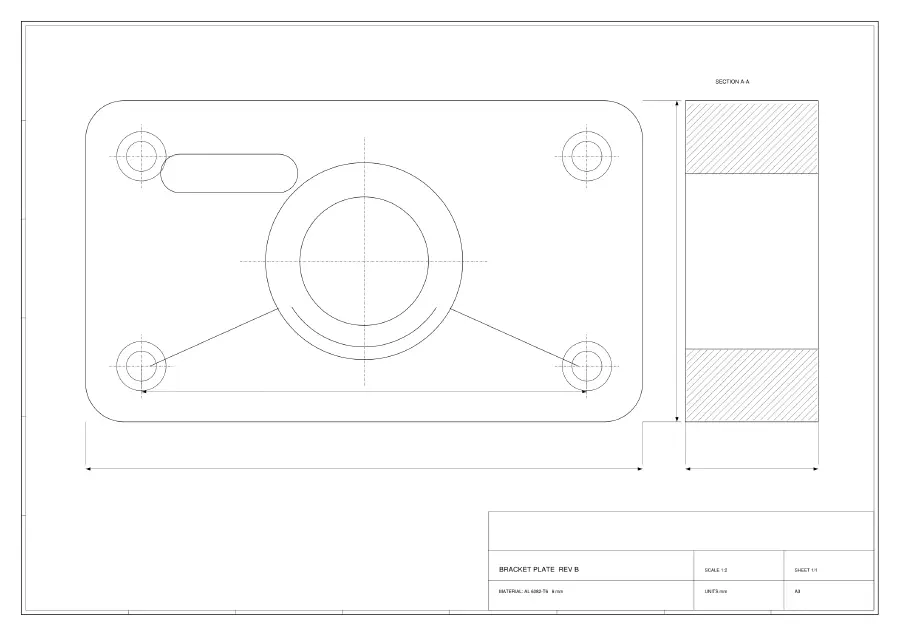
The source file: an A3 bracket-plate drawing as it appears in a PDF viewer — border, title block, section view and dimension lines, all in one colour.
What the client sends bracket-plate-rev-b.pdf — A3, vector, four CAD layers
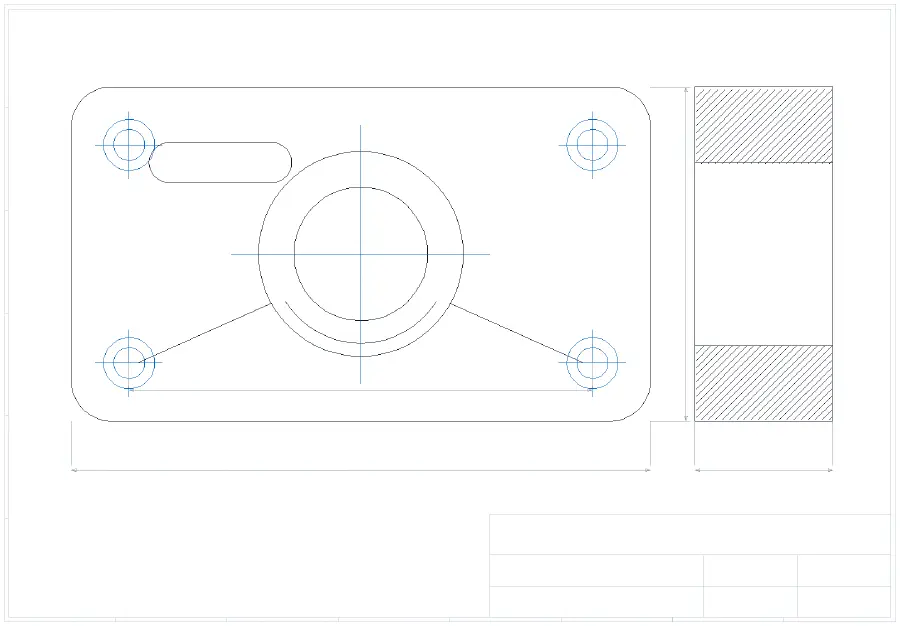
The same drawing after conversion to DXF, redrawn from the file and coloured by layer name: outline black, holes and centre marks blue, dimensions and border grey.
What you can edit bracket-plate-rev-b.dxf — 138 entities on the same four layers

Our own A3 demo drawing, converted by the shipped extension, then redrawn entity by entity from the resulting DXF by ezdxf — an independent Python library — and coloured by layer. Colour = the layer name that survived the conversion.

$45/mocheapest AutoCAD tier that includes PDFIMPORT (LT, listed price when we checked in August 2026)
0bytes of your drawing that leave your computer here
R2007DXF version written (AC1021) — open it in CAD, save as DWG in one step
11 / 11converted files QCAD, a real CAD application, opened without an error

The format question

DWG or DXF: which one to choose

People search for “PDF to DWG” and “PDF to DXF” as if they were two different jobs. They are the same job with two different file formats at the end, and for getting a drawing out of a PDF the choice is simpler than it looks.

DXFDWG
What it isThe interchange format, made for moving drawings between different CAD programs. We write the plain-text (ASCII) form.AutoCAD's own format, and what many offices keep their archives in.
What this extension writesEvery conversion, on both tiers: DXF R2007 (AC1021).Not written here. We say so rather than promising a DWG we do not produce.
Getting from one to the otherOpen the DXF in your CAD program and save as DWG. One step, and lossless in practice.
If your CAD is freeLibreCAD, QCAD Community and nanoCAD Free are all built to read DXF.Support for DWG in free CAD varies by program and by DWG version.
What it costs hereA free tier every day, and one payment to remove the daily limit — the numbers are below.Nothing extra: the save-as step is inside CAD, not something you buy from us.

What we have personally verified is QCAD — 11 converted files, no failures — plus a read-back with ezdxf, an independent Python library. AutoCAD, LibreCAD, Fusion, Rhino and BricsCAD all read DXF of this vintage, but we have not opened our output in each of them ourselves. If yours refuses a file, that is a bug worth reporting.

Instead of

Compared with AutoCAD's own PDFIMPORT, and with online converters

Four routes from a PDF drawing to something editable. The honest summary: if you already have AutoCAD, use what you have paid for. The gap this fills is the one below that.

RouteWhat you getWhat it costs
AutoCAD PDFIMPORT
built into the program
The same job done by the CAD program itself: it keeps the PDF's scale, layers, lineweights and colours.It comes with AutoCAD. The cheapest tier that has it, AutoCAD LT, was listed at $45 per month when we checked in August 2026 — around $540 a year.
This extension
runs in a browser tab
Vector PDF → DXF with the layer names kept when the PDF carries them, 1:1 paper size, arcs still arcs. No DWG output, no tracing of scans, no editable text.Three full conversions a day, free. One payment removes the daily limit — no subscription. The drawing never leaves your computer.
Online PDF-to-DWG convertersA DWG or DXF back — after the drawing has been uploaded to their server. One file per session: close the tab during it and the job is gone.Free on the website. The desktop version of one of the biggest was listed at $130 (from $179) in August 2026.
Raster-to-CAD tracing tools
for scans only
Traces the ink in a scanned drawing into outlines. The only route when the PDF has no vector line work at all — and not what you want when it does.One of the best-known, Scan2CAD, listed its PRO tier at $89 per month in August 2026.

Those are the prices those products listed when we checked them, not quotes we were given — check them yourself before you decide. Ours is further down this page.

Proof

Proof: what comes back is CAD geometry, not a picture of one

“Converted to CAD” is easy to claim, so here is what is checkable. One library reads the source PDF, a second, unrelated library reads the DXF that came out, and the only thing between the two readings is this converter. If it had dropped, moved or flattened anything, the two would disagree.

They do not. Every line in the PDF is found again in the DXF and every line in the DXF has a counterpart in the source, and the total drawn length matches to four decimal places — which is the number that catches flattened curves, because chopping an arc into straight segments makes it measurably shorter.

recall 100.00% · precision 100.00% · ink-length ratio 1.0000 · 138 entities (LINE 106, LWPOLYLINE 12, ARC 10, CIRCLE 10)

That check does not fall apart on real work: the biggest sheet set we have run is a 29-page government bridge plan — 68,179 entities, 54,799 of them arcs — and it came back at ratio 1.0004 with recall 100.00%. The drawing belongs to the agency that published it, so we cannot reprint it here; the measurement is the same one used above.
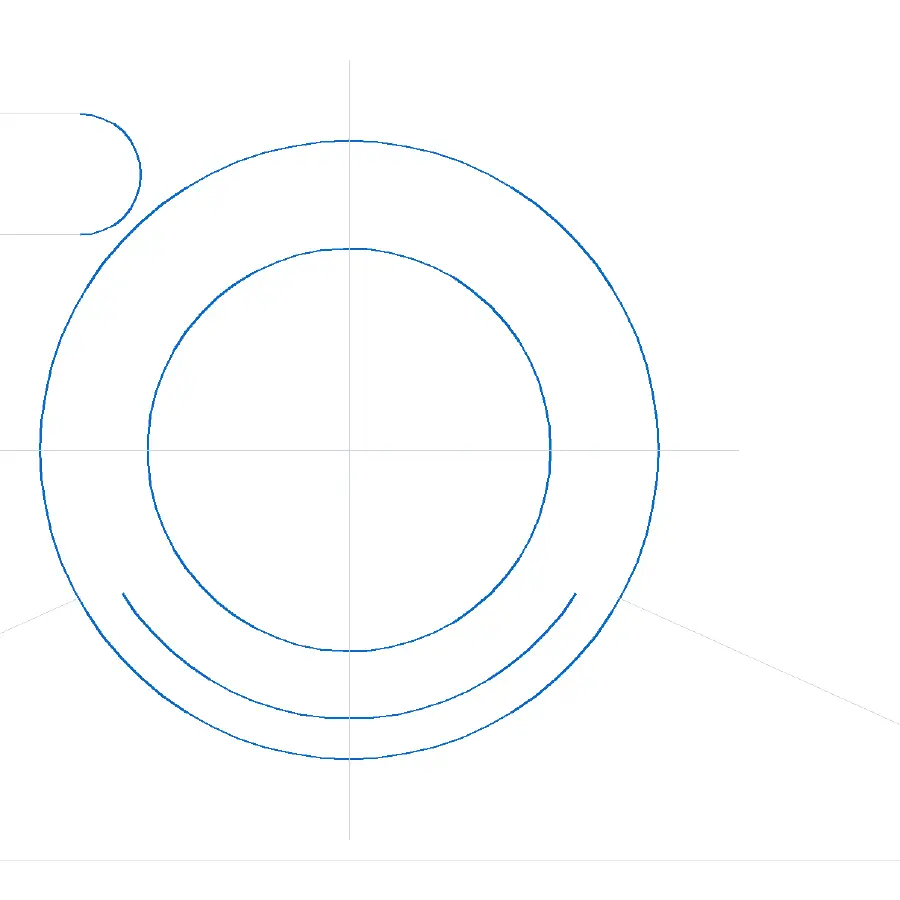
Close-up of the converted DXF around the central boss: the circles and arcs are highlighted in blue, showing they are single curved entities rather than chains of short straight segments.
Detail of the converted DXF. Blue = entities that are curves in the file itself, not chains of segments.

Three steps

How to convert a PDF to CAD, step by step

Nothing to install beyond the extension itself, and no conversion settings to learn.

1

Pick the PDF

Click the toolbar icon and drop the file in. Multi-page plan sets are fine: it opens on the page with the most drawing on it.

2

Choose the page and the units

Millimetres or inches. A scanned page is refused here, before you wait for anything, with what it measured and what to ask for instead.

3

Convert, save, open in CAD

You get a DXF at 1:1 paper size. Open it in your CAD program — and if your workflow needs DWG, save it as DWG from there.

Before the first conversion there is a one-time free Google sign-in. That is how your daily allowance and, later, your purchase are recognised — your drawing still never leaves your computer, only your account and a count of conversions do.

Honest limits

Honest about what this will not do

Four things worth knowing before you install, not after.

DWG

It writes DXF, not DWG

The search term is “PDF to DWG”, and the honest answer is that this extension produces DXF and expects your CAD program to do the last step. That step is one save-as and lossless in practice — but if you needed a DWG straight out of a converter, this is not it.

Scans

No format choice rescues a scan

Whether you ask for DWG or DXF is irrelevant when the PDF is a scan: the file contains a photograph of a drawing, and there is no line work in it for any converter to pick up. That is a property of the file, not of the tool. Tracing software is the separate category that works on pictures, and what it returns is outlines rather than snappable lines — so this extension checks and refuses instead.

Text

Editable geometry, not editable text

By the time a CAD drawing has been exported to PDF, its labels and dimension text are line work, not characters. Saving to DWG instead of DXF changes nothing about that — the information was lost one step upstream, in the export. What you can edit afterwards is the geometry.

Layers

Layers ride on the PDF, not on the format you pick

The layer structure has to be inside the source PDF for anything downstream to keep it. We fetched five real drawings to test against and none of them had it — that box is unticked by default in the usual CAD exporters. Where it is missing the drawing arrives on layer 0, and the result screen says so rather than letting you find out in CAD.

Free and paid

What it costs

Free

Free every day

3 DXF conversions per day

  • Full drawing every time (no cropping, no watermark)
  • Original CAD layer names kept
  • Curves stay as arcs and splines, not broken into segments

No feature is locked behind the payment: both tiers run the same conversion path and produce the same file. Paying removes the daily limit.

Before you install

Questions about PDF to CAD

Can I convert PDF to AutoCAD with this?

Yes, in the sense that matters: the DXF it writes opens in AutoCAD, and you can save it as DWG from there. But if you already have AutoCAD, its own PDFIMPORT does this job — it keeps scale, layers, lineweights and colours, and you have already paid for it. This tool is for the people who do not have a CAD subscription.

Is a PDF to CAD conversion actually possible, or is it always a trace?

It depends entirely on the PDF. A PDF exported from CAD still contains real vector line work, and that can be converted into real CAD entities — that is what happens here. A scanned PDF contains a picture, and only tracing can be done with it, which is a different tool and a different result.

Will it convert a whole plan set?

It converts one page at a time, and the daily allowance is counted per conversion rather than per page or per entity — a 29-page plan set with 68,000 entities costs the same one conversion as a single sheet.

Do my drawings get uploaded?

No. The PDF is read and the DXF is written inside your browser tab. There is no server in the conversion path at all — only your account and a count of how many conversions you have run leave your browser.

The converter is finished. The store review is not.

The drawing at the top of this page was converted by the build you would be installing. It is not on the Chrome Web Store yet — the day it is, this becomes an install button.

Coming to the Chrome Web StoreSee the pricing

Questions before then: [email protected]