Recall 100.00% — every line in the source PDF is found again in the DXF. Nothing was dropped.
Chrome extension · vector PDF → DXF
A PDF to DXF converter that gives you back real CAD geometry
Arcs come back as arcs, circles as circles, the original layer names still on them, at 1:1 paper size. The conversion runs inside your browser tab — the drawing never reaches a server, ours or anyone else's.
A free account, three full conversions a day. One payment removes the daily limit — see the pricing.
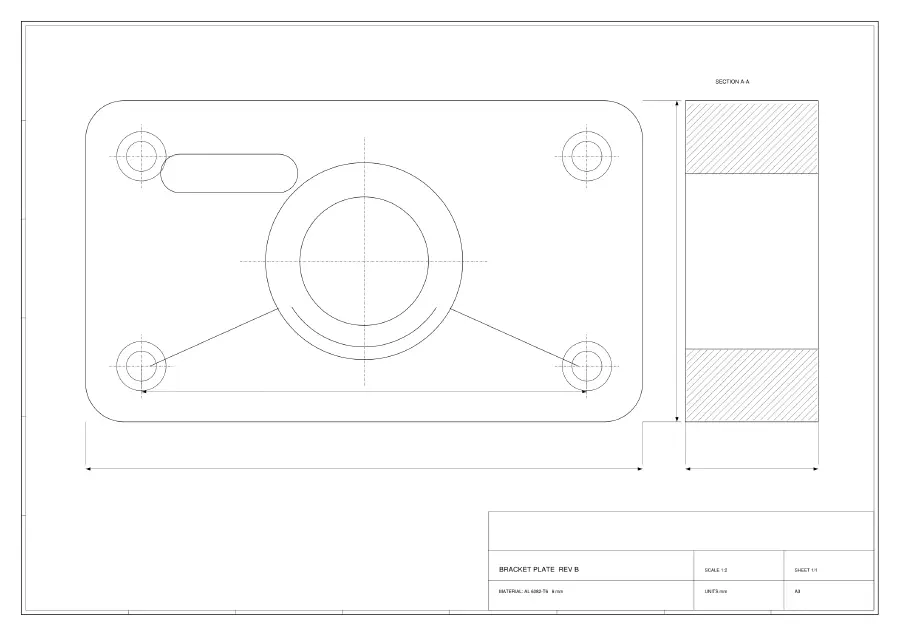
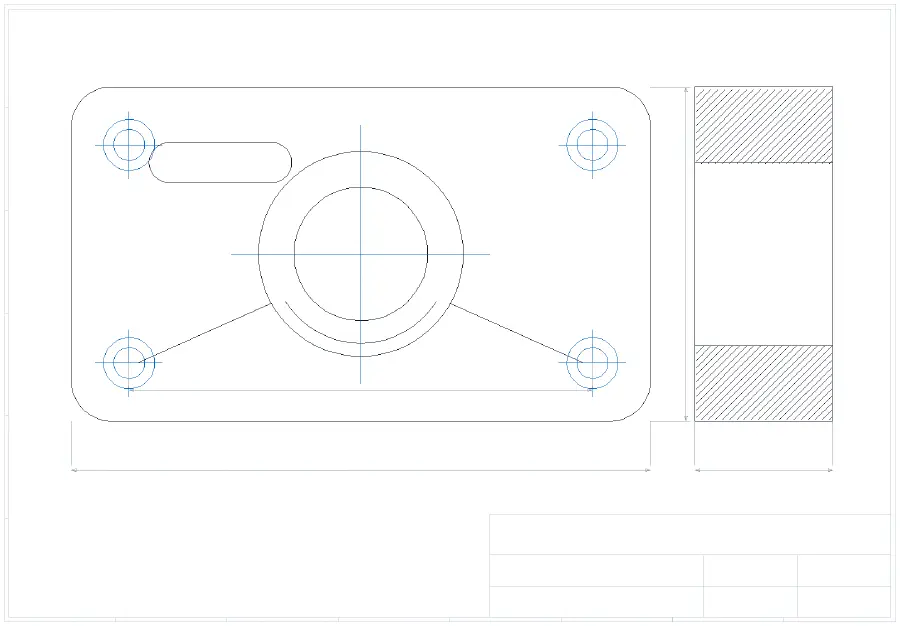
Our own drawing, converted by the extension, then redrawn entity by entity by ezdxf and coloured by layer. Colour = the layer name that survived.
0bytes of your drawing that leave your computer
100.00%of the source line work found again in the converted DXF
1.0000ink-length ratio between the PDF and the DXF above
11 / 11converted files QCAD, a real CAD application, opened without an error
Proof
Proof: two implementations that share no code agree on the result
“It converted” is easy to claim. What is checkable is whether the same geometry is on both sides. PyMuPDF reads the PDF, ezdxf reads the DXF, and the only thing between them is this converter — so if the converter dropped, moved or flattened anything, the two readings would disagree.
Precision 100.00% — every line in the DXF has a counterpart in the source. Nothing was invented.
Ink-length ratio 1.0000 — total drawn length matches. This is the one that catches flattened arcs: chopping a curve into segments makes it measurably shorter.
ink-length ratio 1.0000 · recall 100.00% · precision 100.00% · 138 entities (LINE 106, LWPOLYLINE 12, ARC 10, CIRCLE 10)
The largest real drawing we have put through it is a 29-page government bridge plan set: 68,179 entities, 54,799 of them arcs, ratio 1.0004, recall 100.00%. We cannot republish that drawing — it is not ours — but the check that produced those numbers is the one that produced the numbers above.
What you get back
Curves stay curves, layers stay layers
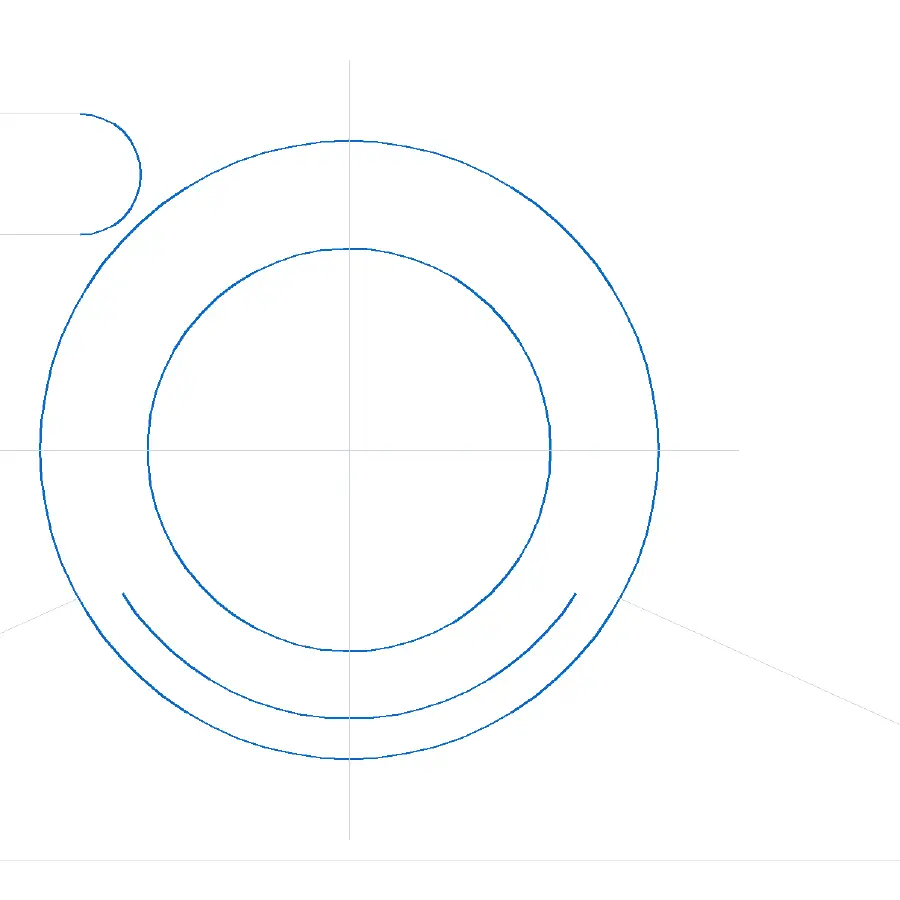
Most line work in a PDF is Bézier curves. The cheap conversion chops each one into short straight segments: the drawing still looks right, and then you cannot snap to a centre, change a radius or offset an edge. This converter fits real curves instead — a full circle comes out as CIRCLE, an arc as ARC, anything genuinely not circular as a SPLINE — and writes them onto the layer names the PDF carried.
In the drawing above: ARC 10 · CIRCLE 10 · 0 curves flattened into segments · layers RAHMEN, KONTUR, BOHRUNGEN, BEMASSUNG
Output is the paper size, 1:1, in millimetres or inches — not a rescaled approximation.
Instead of
The difference between this and an online converter
Three other ways people get a DXF out of a PDF, and what each one costs.
Online converters
Your drawing ends up on someone else's server
A web converter has to receive the file in order to convert it — that is how it works, and one of the biggest free ones says so in its own documentation. For a client drawing under NDA that is usually the end of the conversation. Here the PDF is read and the DXF is written in the browser tab; open the network panel during a conversion and you will see nothing leave.
Tracing tools
Tracing gives you outlines, not lines
Raster-to-vector tools trace the ink in a picture. What comes back is a closed outline around every stroke — no snappable endpoints, no arcs, no layers. That is the right tool for a logo and the wrong one for a drawing, so this extension does not pretend to do it.
Redrawing by hand
An hour of tracing, and again at the next revision
Drawing on top of the PDF is the usual fallback, and it works until the revised sheet arrives. A conversion takes a few seconds and keeps the geometry exact rather than eyeballed.
PDF to DWG
DXF is what you open; DWG is what you save
If you came looking for PDF to DWG: DXF is the interchange format every CAD program reads — AutoCAD, LibreCAD, QCAD, Fusion, Rhino. Open the DXF and save as DWG in one step. This extension writes DXF and says so, rather than promising a DWG it does not produce.
Honest limits
What it will not do
Four things this tool refuses to pretend about. Better to find out here than after you install.
Scans
A scanned drawing is a picture
There is no vector line work in a scan to convert. The check runs the moment you pick the file, before you wait, and tells you what to ask for instead.
Text
Text and dimensions come back as geometry
In PDFs exported from CAD, the text and dimension labels have already been broken up into line work. You get the geometry — no tool can reliably reverse that into editable text.
Layers
Layer names survive only if the PDF carries them
Many CAD exports leave the “include layer information” box unticked; of five real drawings we tested, not one carried layers. When the information is missing everything lands on layer 0 — and the result screen tells you that is what happened.
Sign-in
A free account is required
The converter sits behind Google sign-in, the free tier included: it is how your daily allowance and any purchase are recognised. Your drawing still never leaves your computer — only your account and a count of conversions do.
This is a scanned or image-based PDF
The page contains a picture of a drawing, not vector line work, so there is nothing to convert into CAD geometry. What you can do: ask for the original CAD file or a PDF exported from CAD, or use a dedicated raster-to-CAD tracing tool. This extension deliberately does not trace images — tracing produces closed outlines with no snappable lines, arcs or layers, which is not usable for engineering work.
Detected on page 1: no vector path operators, 1 embedded image(s).
It refuses in the same second you pick the file — before the wait, not after it.
Four steps
How it works
No project setup, no upload queue, no account to configure beyond signing in once.
1
Pin the extension
Clicking the toolbar icon is how a conversion starts — there is nothing to set up first.
2
Sign in once
A free Google sign-in. It is what recognises your daily allowance and, later, your purchase.
3
Pick the PDF
Multi-page sets are fine: it opens on the page with the most drawing on it, and you can change the page.
4
Convert and save
A few seconds later you have a DXF at real paper size, 1:1, in millimetres or inches.
Free and paid
Pricing
Three full conversions a day for free. One payment removes the daily limit — forever.
Free
Free every day
3 DXF conversions per day
- Full drawing every time (no cropping, no watermark)
- Original CAD layer names kept
- Curves stay as arcs and splines, not broken into segments
Lifetime
$29 one-time
Unlimited conversions
- Unlimited conversions — no daily limit
- Every conversion is the full drawing, same as the free tier
- One payment, no subscription
No feature is locked behind the payment: both tiers run the same conversion path and produce the same file. Paying removes the daily limit.
Before you install
Questions people ask before installing
What do I get for free?
Three conversions per day, and every one of them is the complete drawing — nothing is cropped, watermarked or simplified. The free tier and the paid one produce byte-for-byte the same DXF. Paying only removes the daily limit.
Do I need an account?
Yes. The converter is behind Google sign-in, including the free tier. Sign-in is how your daily allowance and your purchase are recognised. Your drawings are never uploaded — only your account and a count of how many conversions you have run leave your browser.
Is this a subscription?
No. It is a single payment and it does not renew. This tool is for a task that comes in bursts — a new project, a set of drawings from a client — not something you run every day, so a monthly bill would not be honest.
What if I want my money back?
Write to [email protected] within seven days of buying and we refund the payment in full, no questions asked — it goes back the way it came, through Stripe. It is a one-time purchase, so there is no subscription to cancel afterwards.
Are my drawings uploaded anywhere?
No. The PDF is read and converted inside your browser tab, and the DXF is written there too. There is no server in the conversion path at all.
Will it convert a scanned drawing?
No, and it tells you so before you waste time on it. A scan is a picture of a drawing with no vector line work to convert. Tracing a picture produces closed outlines with no snappable lines, arcs or layers — not usable for engineering work — so this extension deliberately does not do it.
It is on the Chrome Web Store.
Everything on this page came out of the shipped build: the drawing above was converted by the same code you are about to install. Three full conversions a day are free — no payment to try it.
Questions: [email protected]